Run your day from the technician app.
Leak detection and repair, in your pocket: get verified, pick up nearby jobs, run every visit step by step, and track your earnings — all in the IQnero Technician app.
App screens shown are design previews of the technician app.
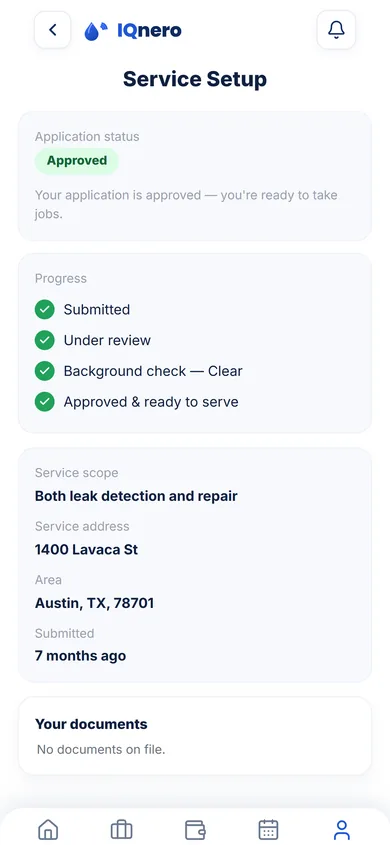
Approved in three guided steps.
Becoming an active IQnero technician is a guided three-step onboarding: driver-license verification, a Checkr background check, and certification. A progress bar tracks each step as Verified or Pending, so you always know what's left — and for certification you pick the path that fits you: already certified, experienced but uncertified, or new to pool service.
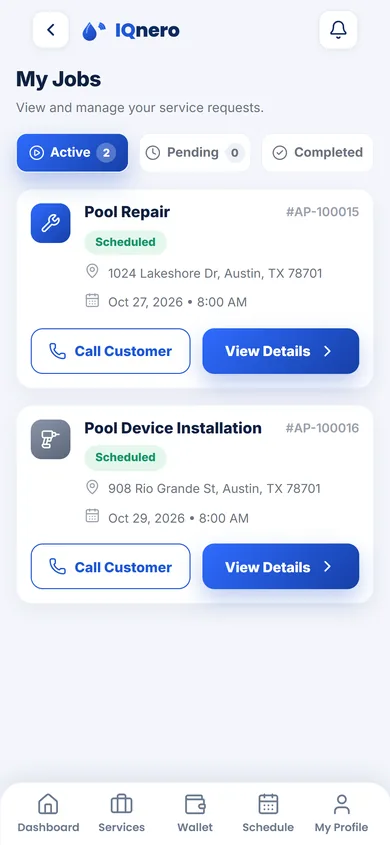
Every request, in one list.
My Jobs is where every service request assigned to you lives, sorted into Active, Pending and Completed tabs. Each card shows the job type, its status, the customer's address and the scheduled date and time — and you can call the customer or open the full details straight from the list.
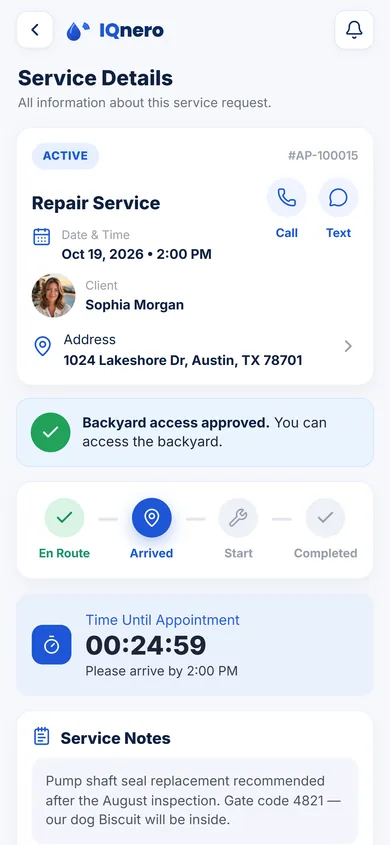
Arrive knowing exactly what to do.
Open a job for the full picture: the client's name, address and appointment time, with one-tap Call and Text buttons. A status tracker walks you from En Route to Arrived, In Progress and Completed, a countdown shows the time until your appointment, and Service Notes spell out what the customer reported — so there are no surprises on site.
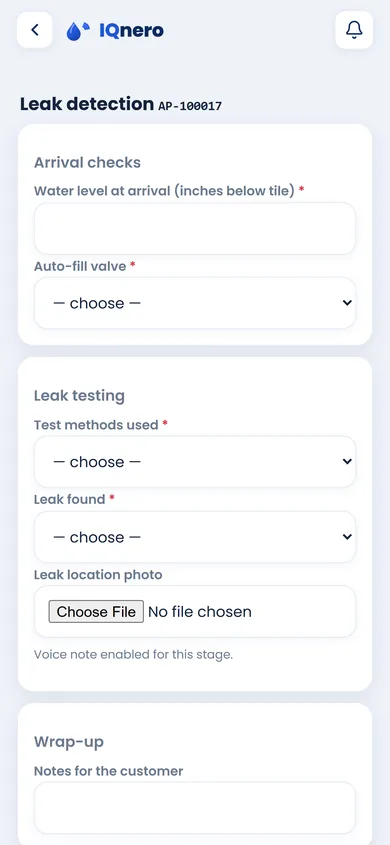
Document the whole visit, step by step.
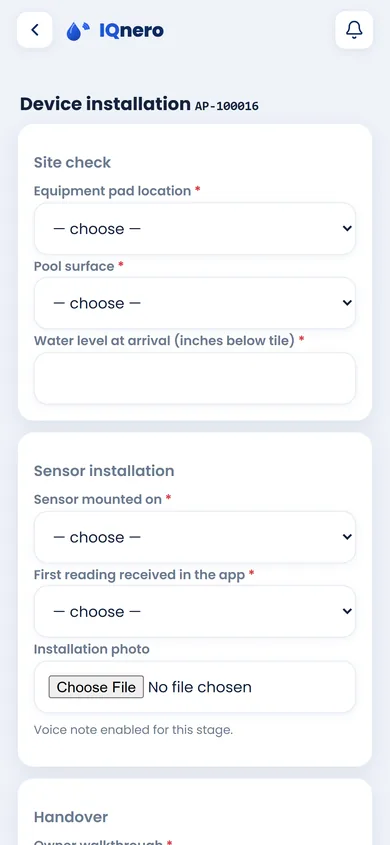
On site, the app walks you through the whole visit with a step-by-step form built for the job — arrival checks, the leak test or the install, the readings and the finding, a photo at each stage, and a wrap-up note for the customer. Nothing gets missed, and every detail is saved to the job.
Clean records for every job.
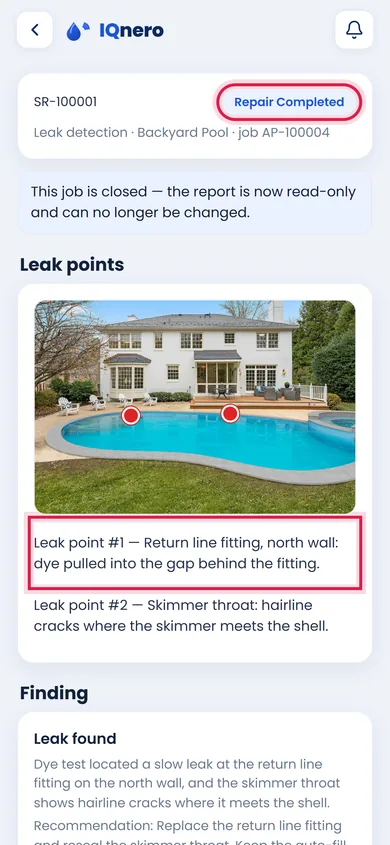
Every visit produces a clear report you can open anytime. The Pool Information tab lays out the site essentials — address, pool type, size, spa and water feature — while Form Answers and Pool Overview keep the rest a tap away. Each report carries its own number, date and status, so the work is always on record.
Work the days and hours you choose.
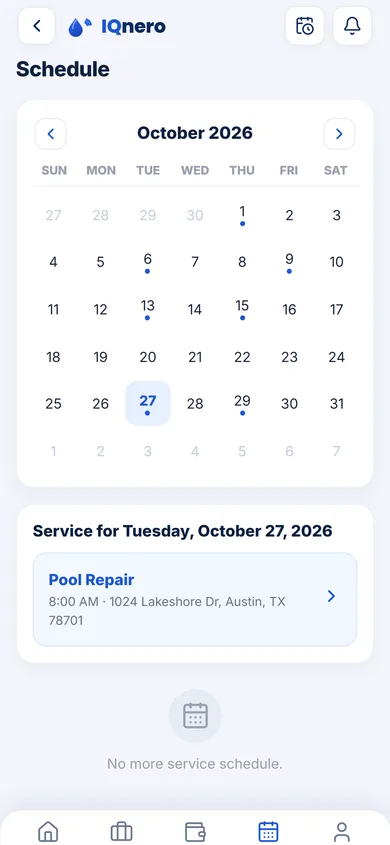
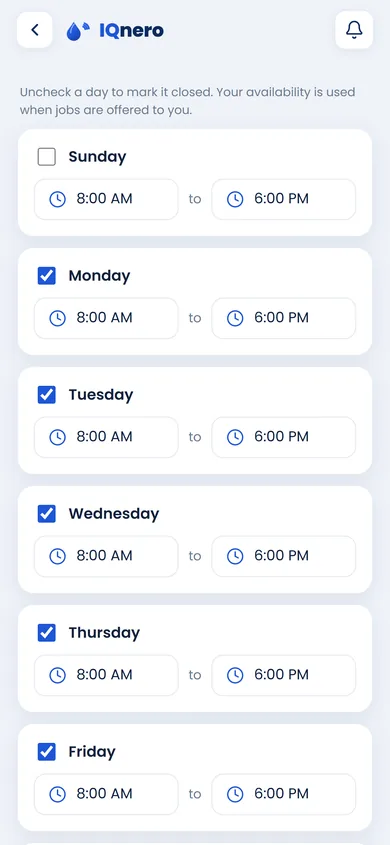
Plan your week on your terms. A full month calendar shows what's booked on any day, and Availability Settings let you set the days and hours you work — a start and end time per day, each one toggled Available or Unavailable. Your availability decides which nearby requests you're matched with, so the work you get fits your schedule.
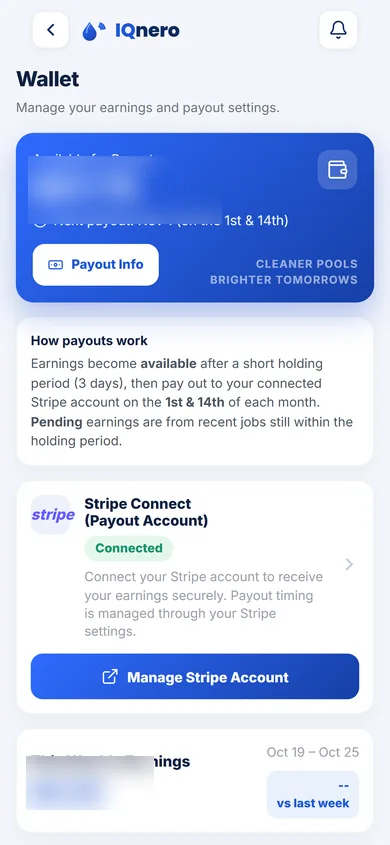
Clear pay, on a clear schedule.
The Wallet keeps your pay in one place — your available balance, what's pending, and your payout history. Payouts run on a fixed schedule, the 1st and 14th, straight to your connected account, so you always know when you'll be paid.
Make the app yours before the first job.
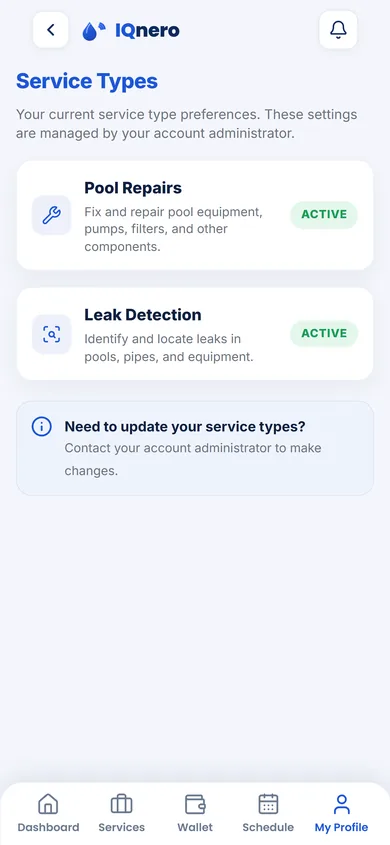
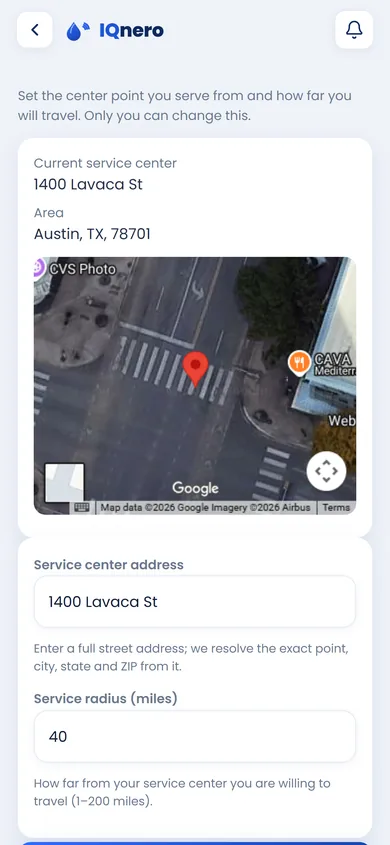
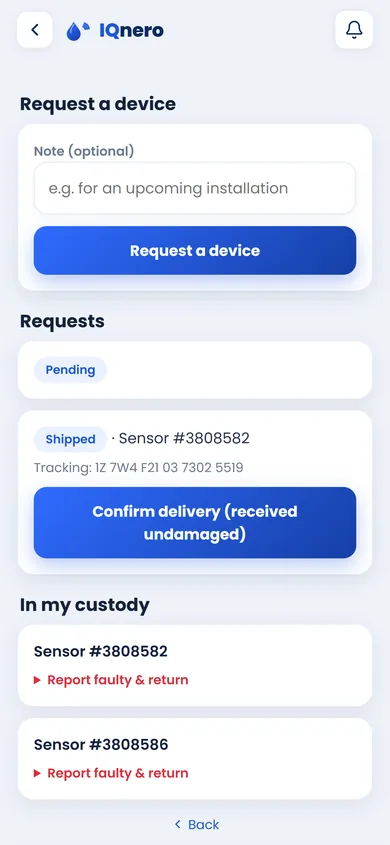
Choose the service types you take on — Pool Leak Detection, Pool Repair, Device Installation — and pin your service area on the map so you're matched with nearby requests. Need hardware? Request smart pool devices straight from the portal and keep your inventory and past orders in one place.
Help is one tap away.
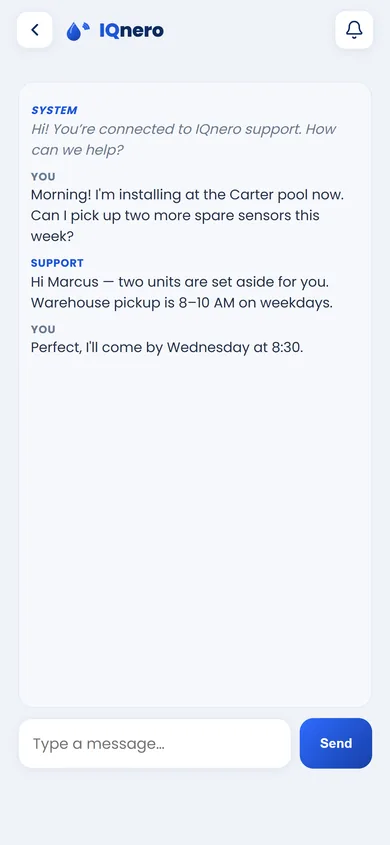
The Pool Technician Portal has built-in live chat that shows when support is Online, with quick replies for Billing, Technical and Schedule help and the support hours right on the screen (Mon–Fri, 8 AM – 6 PM CST). An AI assistant answers right away and hands over to the support team when needed; how quickly the team steps in depends on the type of request.
Prefer pool cleaning and water chemistry? See the maintenance work.